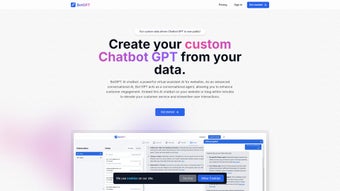

Download BotGPT – Customizable AI Chatbot Builder for Business Automation
Overview
BotGPT — это облачно‑нативный, веб‑ориентированный конструктор AI‑чатботов, который позволяет компаниям любого размера создавать высоко персонализированных виртуальных помощников без написания ни одной строки кода. Платформа ориентирована на профессиональные отрасли, такие как юридические услуги, бухгалтерия, фитнес, электронная коммерция, образование и здравоохранение, предлагая гибкий способ превращать статические документы, руководства, каталоги продуктов или целые веб‑сайты в разговорные базы знаний. Просто загрузив PDF‑файлы, документы Word, таблицы или запустив автоматический веб‑краулер, BotGPT извлекает заголовки, таблицы, часто задаваемые вопросы и контекстные подсказки, а затем передаёт их в языковую модель на базе GPT‑4. Полученный чат‑бот может отвечать на запросы клиентов, планировать встречи, генерировать предложения и даже инициировать последующие рабочие процессы — всё это при сохранении фирменного стиля и тона общения.
Что отличает BotGPT, так это акцент на конфиденциальность данных и соответствие нормативным требованиям. Весь загруженный контент шифруется как в состоянии покоя, так и при передаче, а сервис соответствует стандартам GDPR, CCPA и ISO‑27001. Нет стороннего трекинга, а пользователи могут выбрать региональное размещение данных для соблюдения местных регуляций. Платформа также предоставляет детальные настройки прав доступа, позволяя администраторам определять, кто может загружать данные, редактировать ответы или просматривать аналитику.
Много‑канальные варианты развертывания BotGPT означают, что один и тот же AI‑ассистент может появляться в виде виджета на сайте, в Facebook Messenger, WhatsApp, Slack, Microsoft Teams или даже внутри нативных приложений iOS и Android через SDK. Такое омниканальное присутствие гарантирует клиентам мгновенные и точные ответы, где бы они ни взаимодействовали с ботом. Кроме того, панель аналитики в реальном времени предоставляет сведения о объёме диалогов, оценках удовлетворённости, типичных намерениях и точках оттока, позволяя компаниям постоянно улучшать работу бота.
Независимо от того, являетесь ли вы одиночным предпринимателем, желающим автоматизировать FAQ, средним бизнесом, стремящимся сократить количество тикетов в поддержку, или крупным предприятием, ищущим масштабируемое и безопасное AI‑решение, BotGPT предлагает готовый к использованию продукт, который сокращает сроки разработки, снижает операционные расходы и повышает общий уровень клиентского опыта.
Key Features that Make BotGPT a Competitive Edge
BotGPT объединяет богатый набор возможностей, разработанных для самых требовательных сценариев, оставаясь при этом интуитивно понятным для пользователей без технического бэкграунда. Ниже представлен полный список функций, каждая из которых создана для предоставления ощутимой бизнес‑ценности.
- Domain‑Specific Training: Drag‑and‑drop PDFs, DOCX, CSV, or plain‑text files, or let the built‑in crawler index entire websites. The AI learns industry‑specific terminology, legal citations, tax codes, or product specifications, ensuring responses are accurate and contextually relevant.
- Multi‑Channel Deployment: One‑click publishing to web widgets, Facebook Messenger, WhatsApp, Slack, Microsoft Teams, and native iOS/Android SDKs. The same bot logic powers every channel, eliminating duplicate development effort.
- Customizable Widget Design: Full control over colors, fonts, logos, and welcome messages. CSS overrides let developers fine‑tune the look to match corporate branding guidelines.
- End‑to‑End Encryption & GDPR Compliance: All data is encrypted using AES‑256, stored in compliant data centers, and never shared with advertisers. Users can activate regional data residency with a single toggle.
- 24/7 Continuous Operation: Scalable cloud infrastructure guarantees low latency and high availability, handling traffic spikes without degradation.
- Advanced Analytics Dashboard: Track conversation volume, average handling time, satisfaction (thumbs‑up/down), intent distribution, and funnel conversion rates. Export data to CSV or integrate with BI tools via API.
- Instant Content Refresh: Upload new documents or re‑run the crawler at any time; the bot re‑trains automatically, keeping answers up‑to‑date without downtime.
- Tiered, Scalable Pricing: Plans start at $49.99/month for startups and scale to enterprise tiers with custom message caps, dedicated support, and SLA guarantees.
- API & Webhook Integration: Push leads, tickets, or transaction data to CRMs (Salesforce, HubSpot, Zoho), help desks, or payment gateways. Webhooks trigger external actions based on user intent.
- GPT‑4 Powered Natural Language Understanding: Context‑aware, human‑like responses with multi‑turn conversation handling, sentiment detection, and fallback strategies.
Beyond the headline features, BotGPT offers a robust ecosystem of add‑ons, including pre‑built industry templates, multilingual support, and a developer sandbox for testing custom code snippets. This combination of out‑of‑the‑box functionality and extensibility makes BotGPT suitable for both rapid prototyping and long‑term enterprise deployments.
Installation & Usage – From Sign‑Up to Live Bot in Under an Hour
Because BotGPT is entirely cloud‑hosted, you only need a modern web browser (Chrome, Edge, Firefox, or Safari) on any operating system—Windows, macOS, Linux, iOS, or Android. No local software installation is required, and the platform’s responsive design ensures a smooth experience on tablets and smartphones.
1. Register and Choose the Right Plan
Navigate to the BotGPT homepage, click Start Free Trial, and confirm your email address. The 14‑day trial unlocks every premium feature, allowing you to evaluate performance without commitment. After the trial, select a subscription tier that matches your expected monthly message volume; you can upgrade or downgrade at any time from the dashboard.
2. Create Your First Bot Project
From the main dashboard, click New Bot. Enter a descriptive name (e.g., “LegalAssist”), pick the primary language, and configure basic greetings, fallback replies, and the default widget position. The wizard also prompts you to set up user authentication if you plan to restrict access to internal employees.
3. Upload Training Materials
The Training Data tab accepts PDFs, DOCX, CSV, and plain‑text files. Drag files into the upload area or paste a URL for the web crawler. BotGPT automatically parses headings, tables, and bullet points, creating a structured knowledge graph. For large document sets, you can tag sections (e.g., “Pricing”, “Refund Policy”) to improve retrieval accuracy.
4. Configure Deployment Channels
In the Deploy section, select the channels where the bot will appear. For website widgets, copy the generated JavaScript snippet and paste it just before the closing tag of your HTML. For messaging platforms, follow the OAuth flow to grant BotGPT permission to send and receive messages. Native SDKs for iOS (Swift) and Android (Kotlin) are available for deeper integration.
5. Test, Refine, and Publish
Use the built‑in Chat Simulator to pose real‑world questions. Confidence scores appear next to each response, highlighting areas that need improvement. If the bot fails to answer satisfactorily, either upload additional source material or edit the response directly in the Response Builder. Once you’re confident, click Publish to make the bot live across all selected channels.
6. Ongoing Monitoring and Optimization
The Analytics Dashboard provides daily metrics on session count, average handling time, user satisfaction, and intent distribution. Set up email alerts for unusual spikes or drops in satisfaction. Schedule weekly review meetings to update training data, adjust conversation flows, and align the bot’s behavior with evolving business goals.
Pros & Cons – A Balanced Look
Even the most polished solution has trade‑offs. Below is a concise summary to help you decide if BotGPT matches your requirements.
Pros
- Rapid deployment – functional bot in under an hour.
- Deep domain customization via document upload and crawling.
- Robust privacy controls with GDPR compliance and end‑to‑end encryption.
- Multi‑channel reach eliminates the need for separate chatbot tools.
- Scalable pricing that grows with your organization.
- Comprehensive analytics for data‑driven improvements.
Cons
- Advanced API integrations may need developer assistance.
- Subscription cost is higher than basic rule‑based chatbot services.
- Optimal training data preparation requires some learning curve.
Conclusion – Your Next Step Toward 24/7 Automated Support
BotGPT delivers a compelling blend of ease‑of‑use, industry‑specific customization, and enterprise‑grade security, making it an attractive choice for businesses that want to automate repetitive inquiries while preserving a human‑like experience. The platform’s ability to ingest real‑world documents, re‑train on the fly, and publish across a wide array of channels ensures that you can meet customers wherever they are, any time of day. While the subscription fee may be higher than simple rule‑based bots, the reduction in support ticket volume, faster response times, and higher satisfaction scores typically deliver a strong ROI.
If you’re ready to streamline your front‑line operations, boost conversion rates, and free up human agents for higher‑value tasks, BotGPT offers a risk‑free way to test the waters. Start your 14‑day free trial, upload a single policy document, and watch the AI turn static text into an interactive, brand‑consistent assistant that works around the clock.
Take action now: Download BotGPT and start building your custom chatbot in minutes. Experience the power of secure, scalable AI automation today.
Frequently Asked Questions
Can I use BotGPT for free?
BotGPT provides a 14‑day free trial with full access to all premium features. After the trial expires, you must choose a paid subscription to keep the bot active; there is no permanent free tier.
How does BotGPT protect my data?
All uploaded files are encrypted both at rest and in transit using AES‑256. BotGPT complies with GDPR, CCPA, and ISO‑27001, and it never shares data with third‑party advertisers. Regional data residency can be enabled for additional compliance.
Do I need technical knowledge to train the bot?
No programming is required. The drag‑and‑drop interface and guided wizard allow non‑technical users to upload documents, tag sections, and edit responses. For complex custom logic, a developer can use the API or SDKs.
Which channels can I publish my bot on?
BotGPT supports website widgets, Facebook Messenger, WhatsApp, Slack, Microsoft Teams, and native iOS/Android apps via SDKs. This omnichannel capability ensures consistent service across all customer touchpoints.
What happens if I need more than the message limit in my plan?
You can instantly upgrade to a higher tier directly from the dashboard. Enterprise plans also offer custom message caps and dedicated SLA guarantees, so you never experience service interruption due to quota limits.



.png)



